
Updating Ballot Access
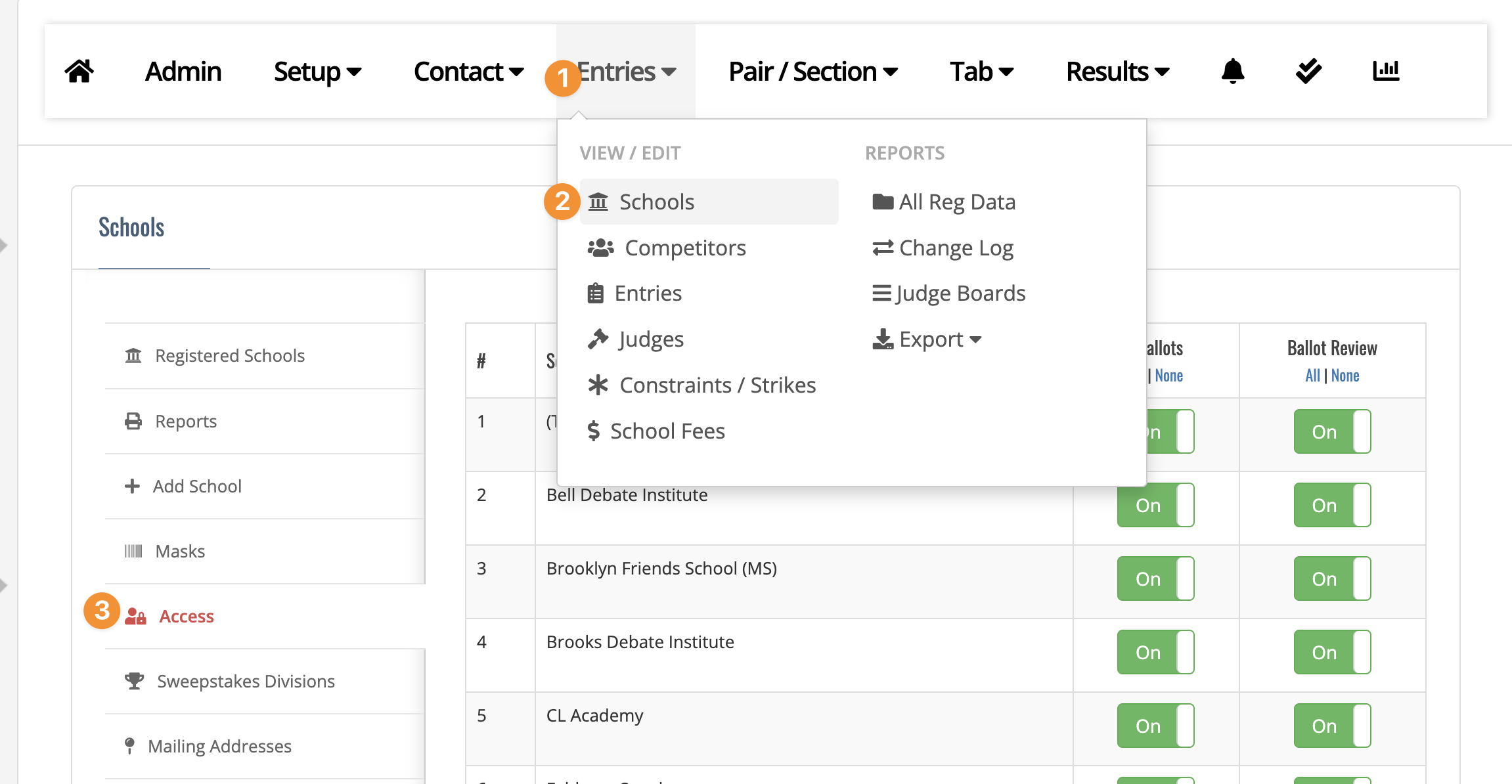
Many tournament directors, if a school has an unpaid balance at the end of a tournament, will limit acces to eBallots or Ballot Review. You can update the access on the Entries->Schools page here:
Rather than having the tournament director have to go to FTN and update access on a payment, you can make access instant, once a payment by the school has been made with an advanced fee option under Setup->Fees
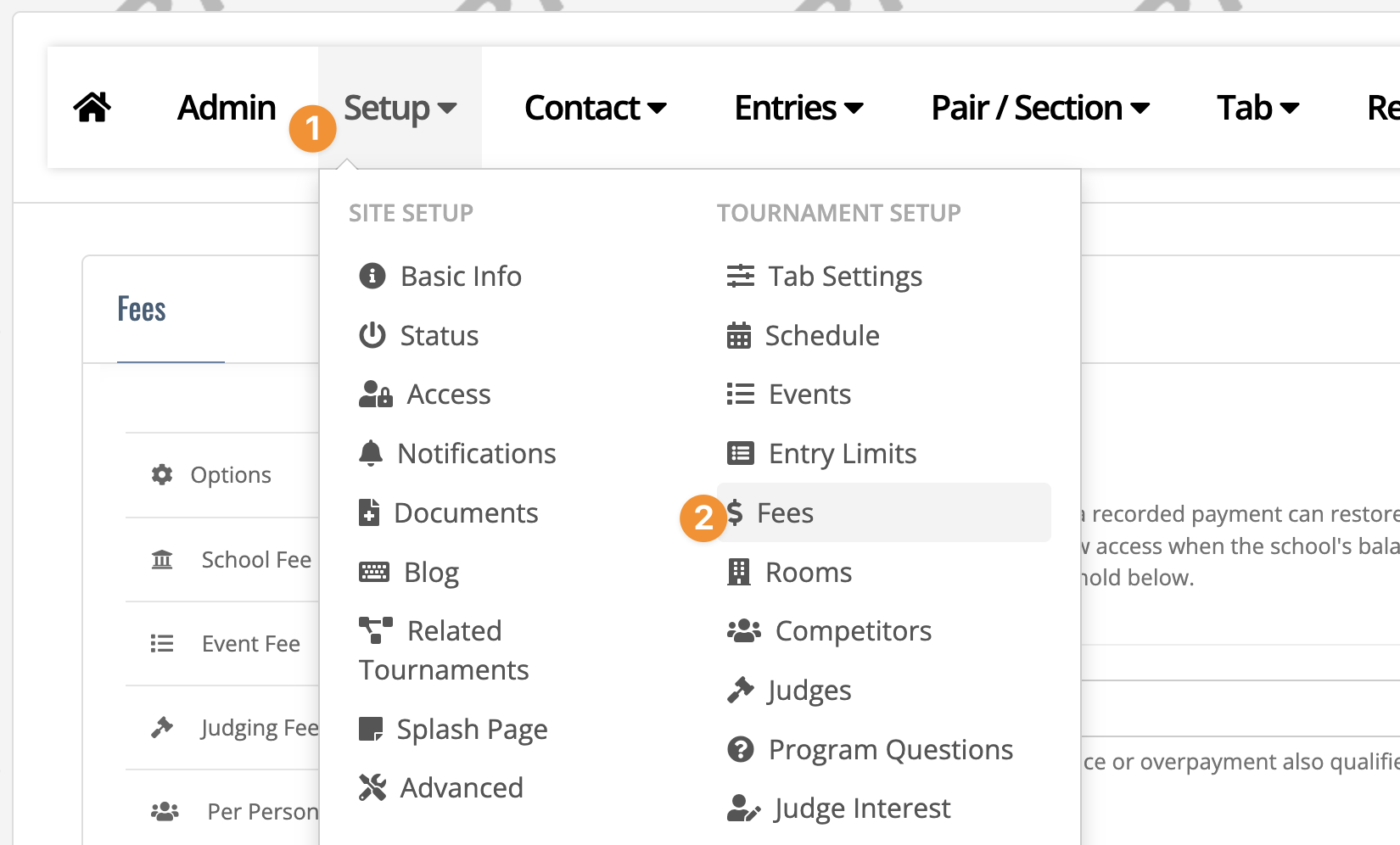
and then updating advanced:
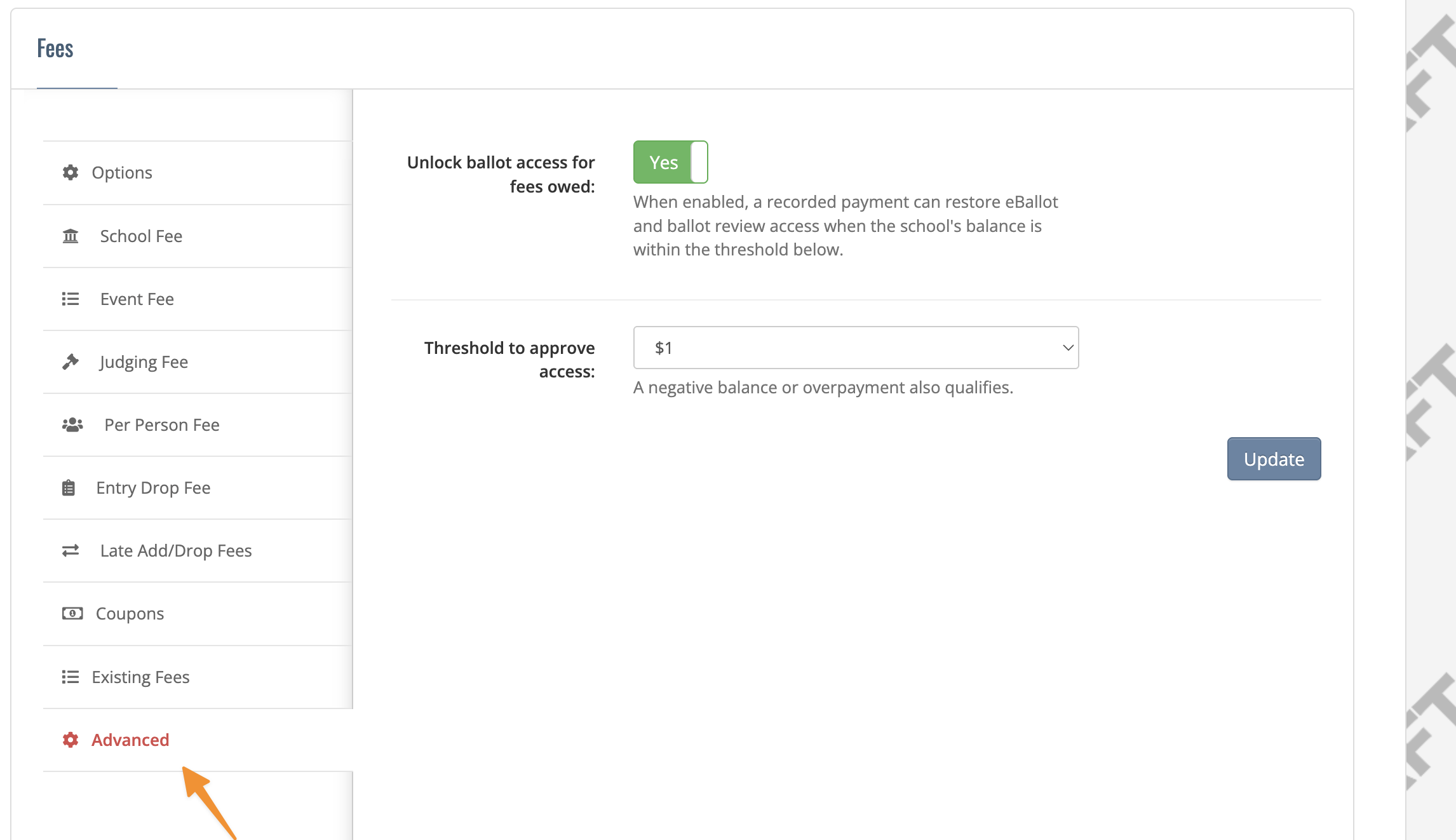
If toggled, a new payment that is within the threshold of the school's balance ($0, $1, $20) will update the school's access automatically. Set to $0 if you want the full balance to be paid before access is granted.
You may want to consider setting it at $1 just in case there is a $0.01 balance for some reason.